
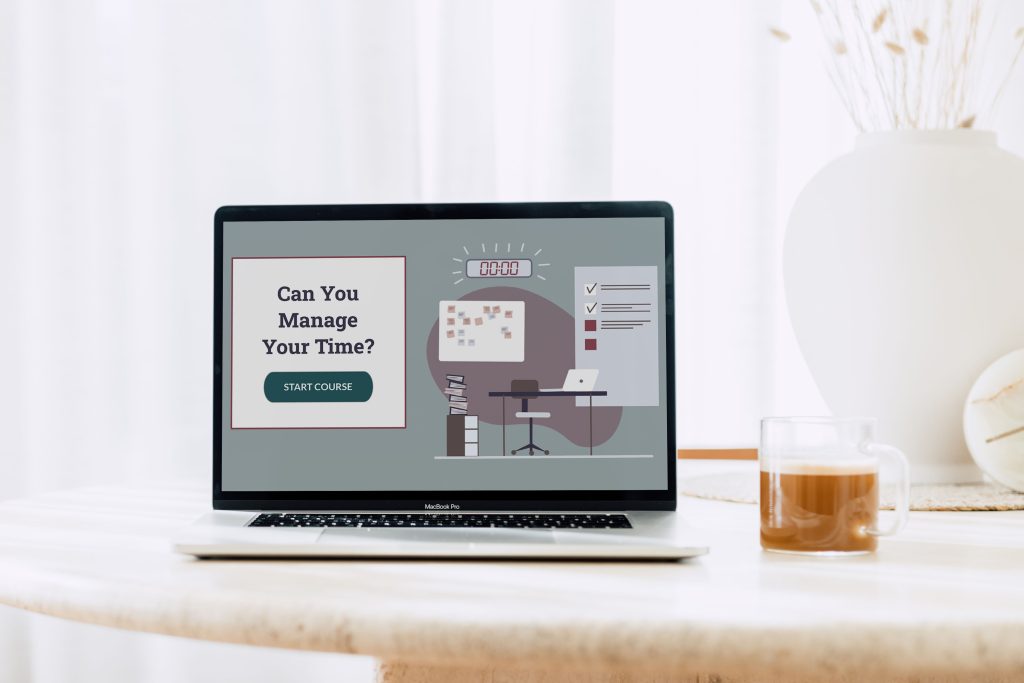
portfolio example
Scenario-Based Leadership Training
This simulation-based leadership training is designed for team leaders and supervisors to improve their application of research-based time management approaches.
- Audience: Team Leaders, Supervisors, Executives
- Responsibilities: Instructional Design, eLearning Development, Visual Design, Storyboard, Mockups
- Tools Used: Articulate Storyline, Adobe XD, & Adobe Illustrator
Problem and Solution
Many leaders feel like they do not have enough time to navigate the scope of their responsibilities. Typical time management approaches focusing on personal productivity often fail to address much-needed competency-based changes.
When leaders cannot effectively manage their time, several consequences occur. Many leaders struggle to make a meaningful impact due to competing priorities and mounting workloads. Leaders often work endless hours trying to “catch up,” sacrificing personal wellness or time with loved ones, causing inevitable burnout.
Leaders who cannot manage their time simply aren’t doing their best work, professionally or personally.
Through feedback sessions with L&D supervisors and directors, I determined leaders’ poor time management resulted from a lack of skill and application. Leaders lacked tools across multiple leadership domains, including thinking strategically, organizing well, mobilizing commitment, and establishing relationships. As a result of this needs analysis, I proposed scenario-based leadership training for practitioners to practice application in relevant simulations.
Process
I took responsibility for designing and developing this leadership training in its entirety. To do so, I first created an action map, developed a text-based storyboard, mocked up the visuals, developed a prototype, and finalized the project.
As is often the case, the course development progressed iteratively. This leadership training benefited from SME feedback, multiple revisions, and ongoing improvements.
Action Map
During development, I collaborated with L&D leaders who provided subject matter expertise throughout the project. Through these discussions, I gathered information about leaders’ time management capabilities and role expectations.
I also incorporated pertinent research from Paul and Stroh, who identified time management across four leadership domains: thinking strategically, mobilizing commitment, building relationships, and organizing action.
I created an action map for this leadership training with this information, incorporating research-based time management approaches into relevant, everyday scenarios.
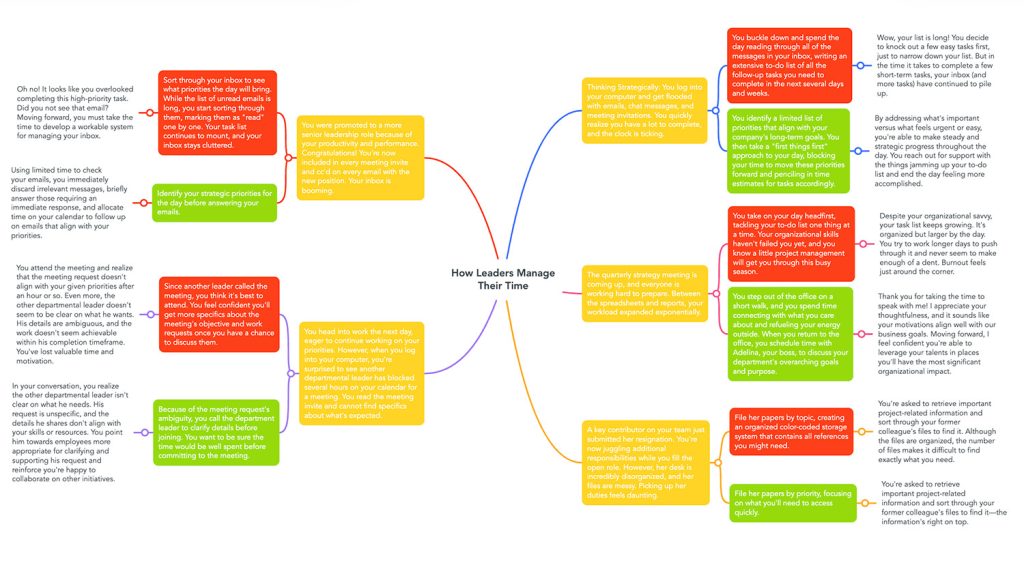
I clarified content priorities and the curriculum’s structure using an action map. I used the map to define the challenges leaders face daily in managing time. The action map also revealed gaps in leaders’ time management abilities that the eLearning needed to cover.
Also, the action identified five scenario-based applications learners could explore throughout the course. In each of these scenarios, learners faced real-life choices that required them to apply time management practices.
Text-Based Storyboard
After completing the action map, I developed a text-based storyboard. The storyboard allowed me to refine and expand the time management applications. When responding to the prompt, I offered learners two everyday choices for each scenario.
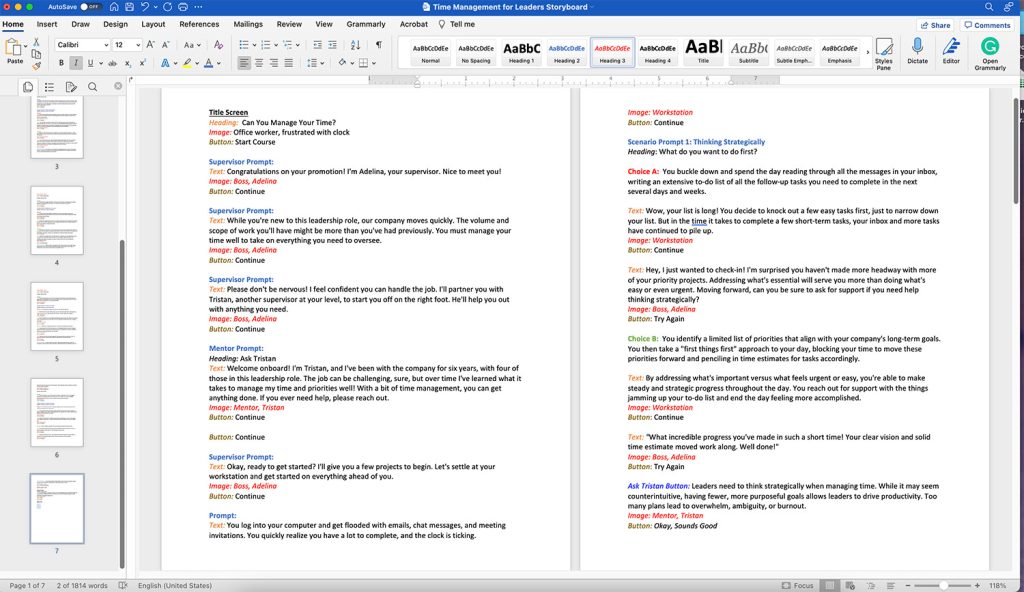
For each choice learners made within the scenarios, I identified real-life consequences they may face. I expanded outcomes across multiple slides, often incorporating follow-up from direct supervisors, colleagues, or departmental leaders.
While iterating the storyboard, I incorporated SME feedback into the scenarios, using typical distractors to leverage additional learning. Leaders don’t often understand how habituated choices can undermine their time management abilities. By incorporating the consequences of incorrect decisions, I provided critical, research-based knowledge throughout the eLearning.
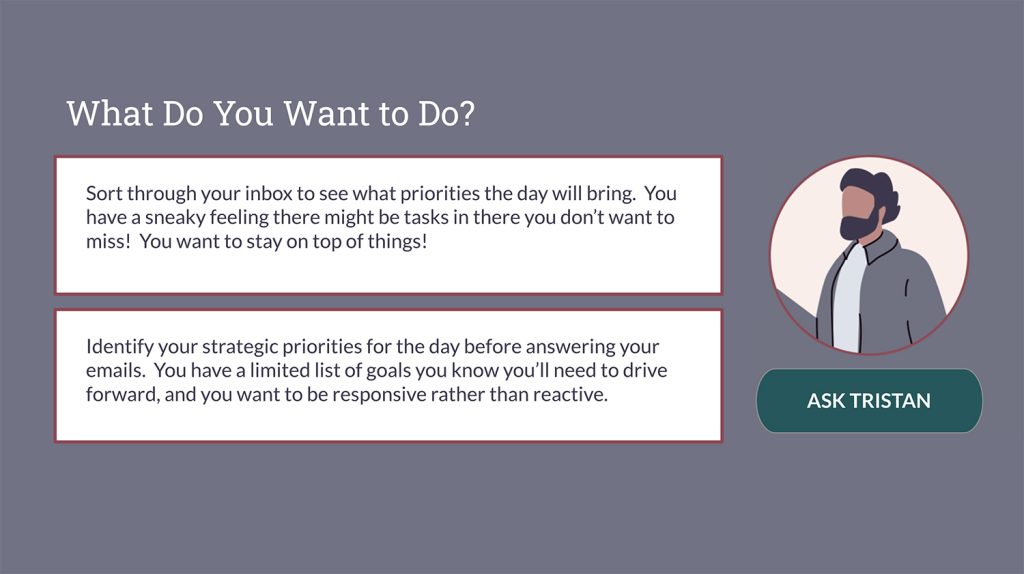
I ensured all scenarios incorporated real-life interactions and daily choices when designing course content. A fundamental principle when engaging adult learners – in my case, rising leaders – emphasizes relevance and impact. While I included common distractions in each choice, I purposefully structured both options to appear attractive and viable.
In addition, I incorporated a mentor character, Tristan, within the text-based storyboard. This mentor is an experienced leader, integrated into the eLearning to assist participants throughout all five scenarios. I provided learners access to this mentor character to choose when they needed additional resources throughout the training.
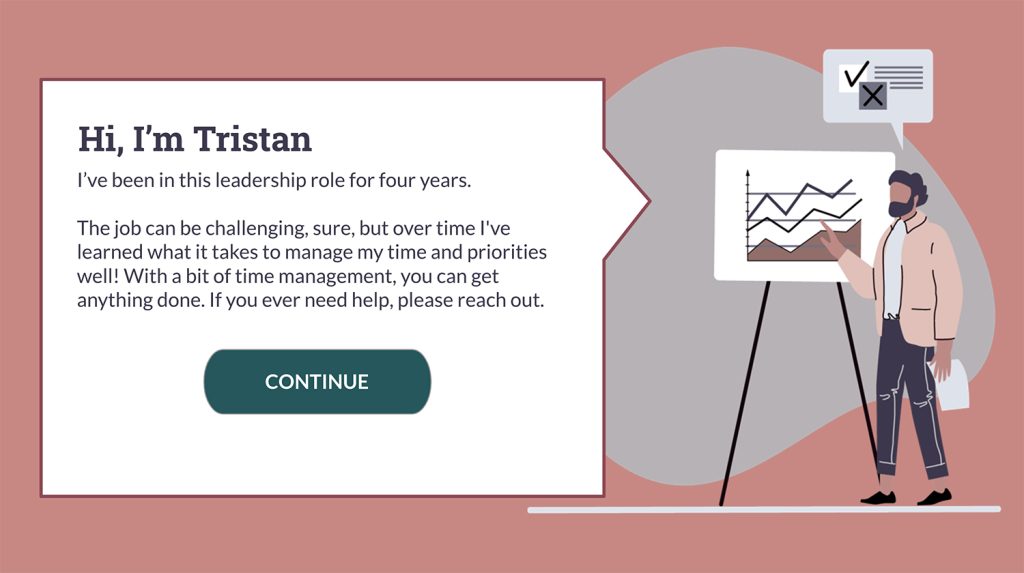
This training benefited from multiple iterations. By developing the text-based storyboard, I could easily share content with SMEs for feedback, which proved valuable for revision.
Visual Development
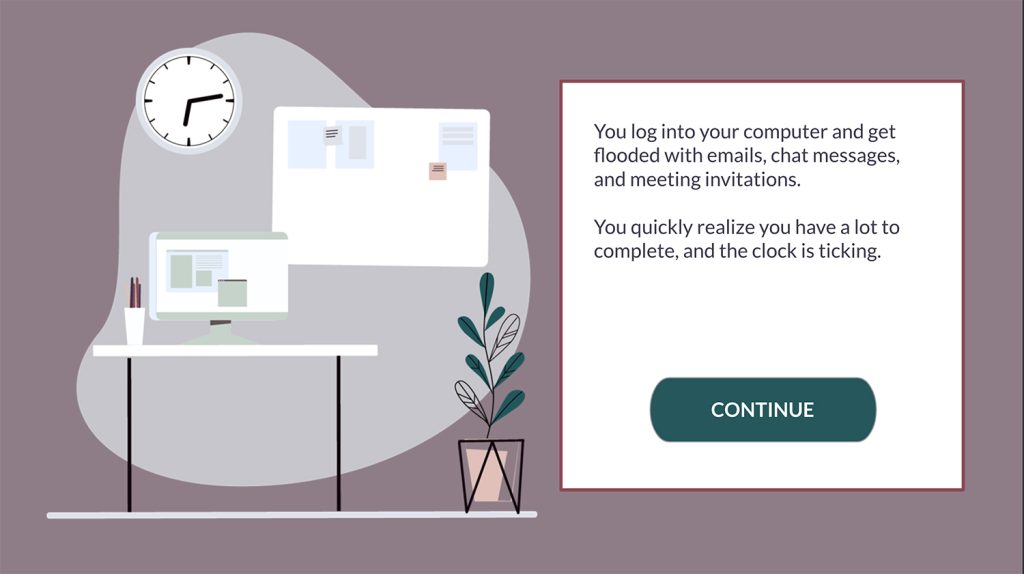
After finalizing the approved text-based storyboard, I began developing the eLearning visuals. The course graphics were crucial to the training because they created a cohesive, branded experience and illustrated story-driven scenarios.
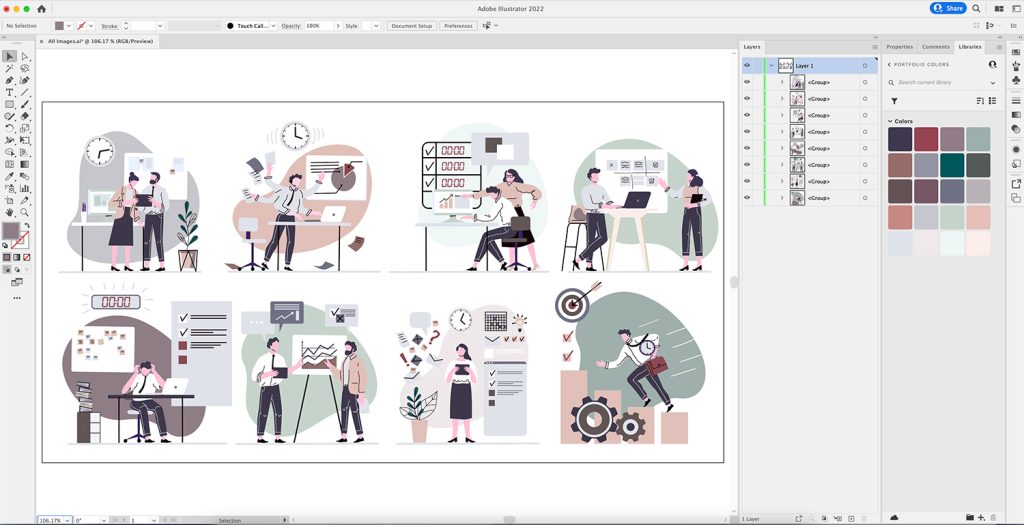
I customized source vector graphics using Adobe Illustrator, adjusting the fill colors to match the correct color palette. I modified the training’s color theme and fonts to fit the company’s branding guidelines.
I used a combination of graphic styles, including character images and workspaces. I also incorporated background colors unique to each learner’s application, making the interface feel both immersive and structured.
After customizing the vector graphics in Adobe Illustrator, I used Adobe XD to create visual mockups. Adobe XD allows rapid prototyping and iteration to quickly pivot to feedback on the training’s visual development.
Visual Storyboard
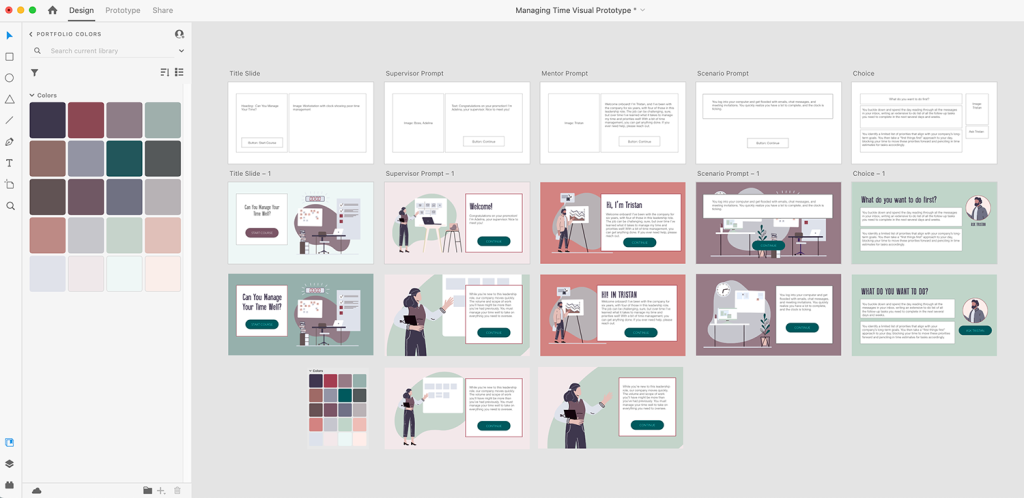
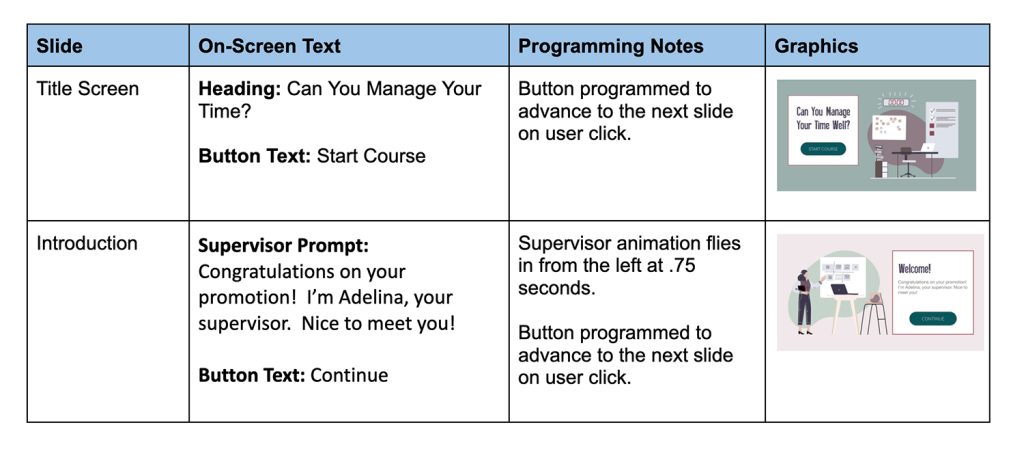
Instructional designers can often imagine how eLearning’s text and graphics interact before development. A visual storyboard is helpful in communicating that interaction to SMEs and stakeholders so that they can visualize how the pieces would fit together.
This visual storyboard included slides, screen text, programming notes, and graphics.
Prototype & Full Development
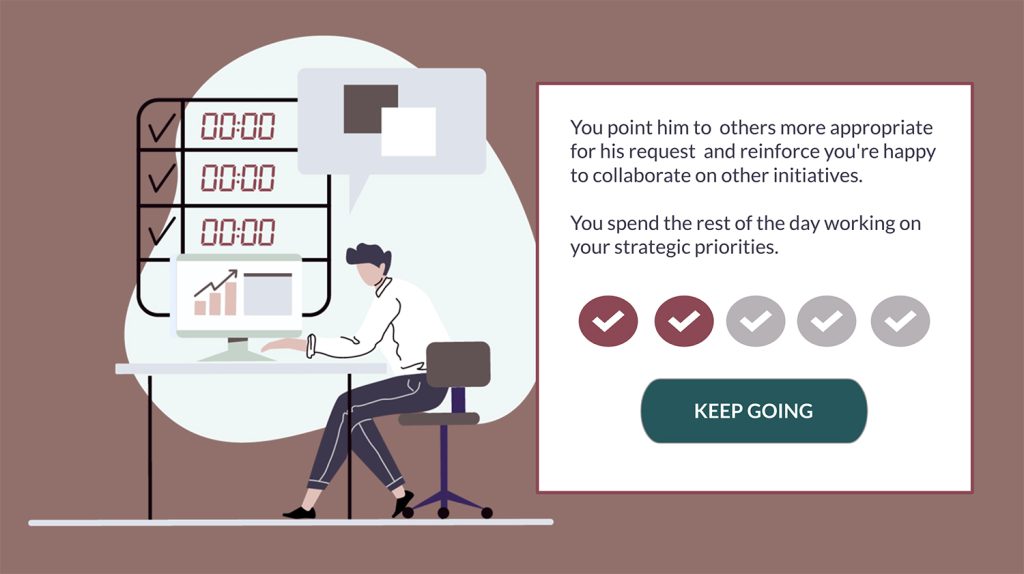
After creating the text-based storyboard, graphics, and visual storyboard, I incorporated all elements to develop the project in Articulate Storyline. I used branching scenarios to structure different choice-dependent content paths for leaders. I also included fly-in animations for characters and graphics for more visual appeal.
The project’s first iteration provided the opportunity to get SME’s feedback on the learning experience and user interactions. After multiple revisions, I finalized the course structure, content, and learner applications.
Results and Takeaways
The subject matter stakeholders and others in the Learning and Development community received this project well. Many expressed feedback that the user interface appeared approachable yet professional and complimented the colors, graphics, and layouts.
When developing this project, I gained a deeper appreciation of the tools we use to create instructional design projects, from beginning planning through prototyping to completion. I enjoyed deep-diving into Articulate Storyline’s branching capabilities when crafting scenarios for learners. I also gained a richer understanding of variables, triggers, states, and layers – all of which will prove valuable in upcoming projects.
In addition, when developing this project, I gained a much more nuanced understanding of Adobe XD’s role in the course development process. Being able to iterate visual designs quickly saved valuable development time. I am confident that Adobe XD will continue to be useful for visual development and interactive prototyping for future instructional design projects.